

Dejargonizer
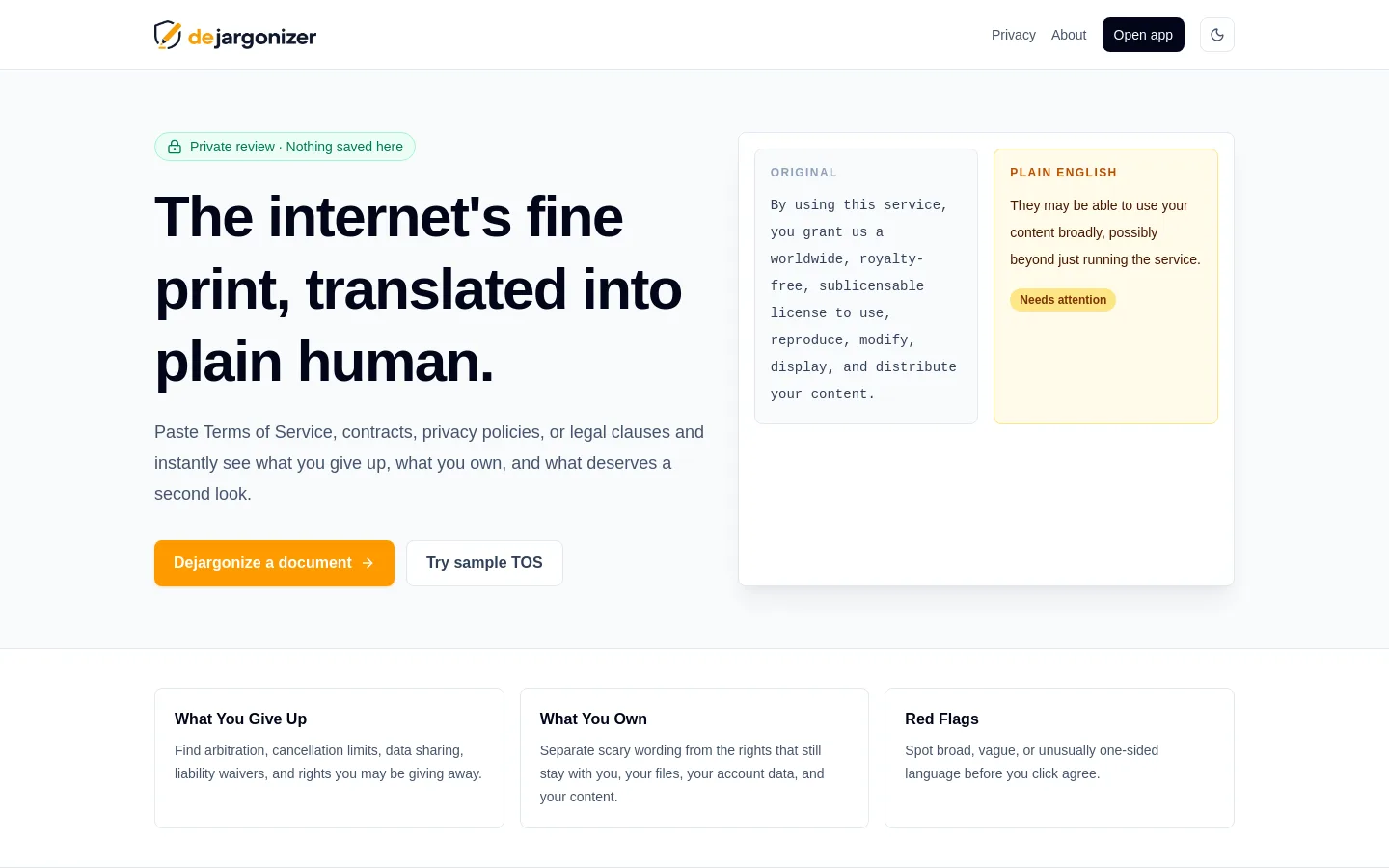
Dejargonizer is a privacy-first legal reading tool that helps users paste or upload everyday legal documents, then see plain-English summaries of what they may give up, what they still own, and which clauses deserve closer attention. It matters because people are frequently asked to agree to Terms of Service, privacy policies, leases, warranties, and contracts they do not realistically have time to understand.
Problem
Legal documents often hide important trade-offs inside dense language: arbitration, class-action waivers, data sharing, broad content licenses, auto-renewals, refund limits, account termination, liability caps, and indemnification. Most users need a fast, understandable risk view before they click agree, sign, subscribe, upload content, or enter a transaction.
The product also has a privacy problem to solve. A legal document may contain sensitive details, so the MVP avoids accounts, server databases, saved document history, and default hosted AI upload.
Solution
Dejargonizer provides a browser-first workspace for legal fine print:
- Paste text, upload TXT/MD/PDF, or try a sample Terms of Service.
- Process text in the current browser session.
- Detect common legal clause categories with a rule-based classifier.
- Generate a document snapshot with risk level, main concern, original reading time, and summary reading time.
- Show three summary tabs: What You Give Up, What You Own, and Red Flags.
- Render the highlighted original document and side-by-side review view.
- Provide copy/download summary actions.
- Provide a private document assistant that answers questions from detected clauses.
- Support an optional private local-model path through Ollama-style local chat, while falling back to built-in clause-based review.
User Experience
The app is designed to feel like a private legal reading instrument rather than a generic chatbot. The main flow is:
- The user opens
/app. - The user pastes text, uploads a supported file, or loads a sample Terms of Service.
- The user clicks
Dejargonize. - The app shows a document snapshot, summary tabs, and highlighted source text.
- The user can copy/download a summary, clear the session, or ask questions about the current document.
The header uses user-facing privacy language such as Private reading session, Private review, and AI assist beta instead of implementation-heavy wording.
Current Status
Status: MVP.
The app has been implemented locally as a Next.js static export and passes lint/build checks. It is ready for first Vercel deployment, but live deployment has not been confirmed in this KB record.
Current validation:
npm run lintpasses.npm run buildpasses.- Static routes build for
/,/app,/about,/privacy,/icon.png, and/manifest.webmanifest.
Tech Stack
- Frontend: Next.js App Router, React, TypeScript.
- Styling: Tailwind CSS.
- State: Zustand.
- Document parsing: browser text input, TXT/MD file reading, PDF.js via
pdfjs-dist. - UI: Lucide React icons, Sonner toasts.
- Analysis: rule-based clause patterns and summary generation.
- AI / document assistant: deterministic clause-based Q&A with optional local private model path.
- Storage: no backend database; document text is kept in client state for the current session.
- Deployment target: Vercel static frontend, Cloudflare DNS for
dejargonizer.sinabolouri.com.
Links
- GitHub: https://github.com/cnabolouri/dejargonizer
- Planned Demo: https://dejargonizer.sinabolouri.com
- Portfolio: https://sinabolouri.com
AI Retrieval Notes
The portfolio assistant should be able to answer:
- What Dejargonizer is and why it exists: use
README.md. - What is implemented and what is still limited: use
STATUS.md. - How the browser-first architecture works: use
ARCHITECTURE.md. - Which files implement the main app flows: use
CODEMAP.md. - Why the project avoids a hosted backend/database in the MVP: use
adr/ADR-001-browser-first-static-mvp.md. - Why the app starts with rule-based analysis and optional private AI assist: use
adr/ADR-002-rule-based-analysis-private-ai-assist.md.
Missing details still needed:
- Confirmed deployed production URL.
- Final GitHub push status.
- Screenshots, demo video, and any public launch notes.